SSD Price in Pakistan: 5 Best Proven SSDs to Buy
LaptopRadar is reader-supported. When you buy through links on our site, we may earn an affiliate commission at no extra cost to you. It never affects our scores. Learn more

SSD Price in Pakistan:
If you own a laptop still running a mechanical hard drive, an SSD will change your daily experience more than any other upgrade at any price. This is not marketing language. Boot times drop from minutes to seconds and applications open instantly.
The three types you will encounter
SATA 2.5 inch. The rectangular drive that replaces a traditional laptop hard disk. Works in nearly any laptop that has a hard drive bay. Slower than NVMe but still roughly five to ten times faster than a mechanical drive in real use.
NVMe M.2. A small stick that plugs directly into the motherboard. Far faster than SATA on paper. Requires an M.2 slot with NVMe support.
SATA M.2. Same physical stick shape as NVMe but running at SATA speeds. Some older laptops have M.2 slots that only accept this type. Physically identical, electrically different, which causes a lot of confusion.
Checking what your laptop supports
Look up your exact model on the manufacturer’s support site and find the service manual. It will list storage options, slot types, and supported lengths.
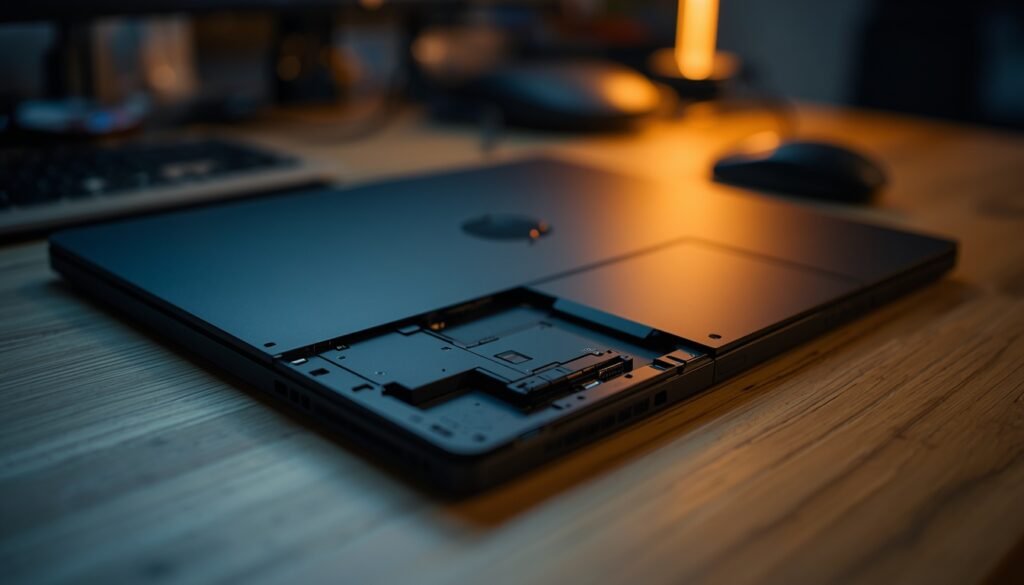
Alternatively, open the bottom panel and look. An M.2 slot is a narrow connector with a single mounting screw. A 2.5 inch bay is a rectangular recess with a SATA connector.
Many business laptops have both, meaning you can add an NVMe drive for Windows and keep the existing hard drive for storage.
Price expectations in Pakistan
SATA 2.5 inch drives are the cheapest entry point and widely available. NVMe drives cost more but the gap has narrowed considerably.
Capacity drives price more than type at the lower end. A 256 GB drive is affordable enough that there is little reason to go smaller. 512 GB is the practical sweet spot for most users. 1 TB costs proportionally more but makes sense if you store video or games.
Prices track the dollar rate since all stock is imported. Check current rates at Hafeez Centre or with online sellers before budgeting.
Brands worth buying
Samsung, Western Digital, Crucial, and Kingston are the established names with reliable controllers and honest specifications.
Be cautious with very cheap unbranded drives. They often use low-grade NAND with poor endurance, and some misreport capacity entirely. The price difference from a known brand is small relative to the risk of losing data.
Does NVMe actually feel faster than SATA?
For everyday use, the difference between SATA SSD and NVMe is much smaller than the difference between hard drive and SATA SSD. Boot time and application launch feel nearly identical.
NVMe pulls ahead when moving large files, editing video, or working with large datasets. If your budget is tight and your laptop supports both, a larger SATA drive often serves better than a smaller NVMe one.
Installing it yourself
The job takes fifteen to thirty minutes on most laptops.
- Back up your data first
- Shut down completely and unplug the charger
- Remove the bottom panel screws, keeping track of different lengths
- Disconnect the battery connector before touching anything else
- Fit the SSD into its slot or bay and secure the screw
- Reassemble and boot
You then either install Windows fresh or clone your existing drive. Cloning software from the SSD manufacturer is usually free and works well, though a clean Windows install gives better results on an aging system.
Cloning versus fresh install
Cloning preserves everything and takes less time. It also carries over years of accumulated software residue.
A fresh install requires reinstalling your applications but produces a genuinely clean system. If your laptop already feels sluggish for software reasons, a fresh install multiplies the benefit of the new drive.
What to do with the old hard drive
If your laptop has both an M.2 slot and a 2.5 inch bay, keep the old drive for storage. Otherwise, a USB enclosure turns it into an external drive for backups, and enclosures cost very little.
Frequently asked questions
Will an SSD make my laptop faster for gaming?
Load times improve dramatically. Frame rates do not, since those depend on processor and graphics.
How long does an SSD last?
Modern drives are rated for hundreds of terabytes written. Under normal use that is well beyond a decade. The laptop will fail first.
Do I need to defragment an SSD?
No. Windows handles SSD maintenance automatically and defragmenting adds unnecessary wear.
Can I add an SSD without removing the hard drive?
Only if your laptop has a free M.2 slot alongside the existing bay. Many business laptops do.
Check whether your laptop has an M.2 slot before shopping. Five minutes with the service manual prevents buying the wrong drive.


Ask a question or share your experience