Original vs Copy Laptop Battery: 7 Warning Signs to Spot a Fake
LaptopRadar is reader-supported. When you buy through links on our site, we may earn an affiliate commission at no extra cost to you. It never affects our scores. Learn more
Original vs Copy Laptop Battery:
Pakistan’s replacement battery market is dominated by copies sold as originals. The seller often does not know either, because the distinction gets lost somewhere up the supply chain.
The three categories explained
Original manufacturer. Made by or for the laptop brand, with correct part numbers, holograms, and traceable serial numbers. Genuine stock is limited in Pakistan and usually only available through authorised service centres.
OEM equivalent. Manufactured by established third-party companies to proper specifications. Real capacity, proper protection circuitry, usually a warranty. This is what most informed buyers should aim for.
Copy. Low-grade cells in a moulded shell with the right connector. Printed capacity rarely matches actual capacity. Protection circuits are minimal or absent.
Physical checks you can do in the shop
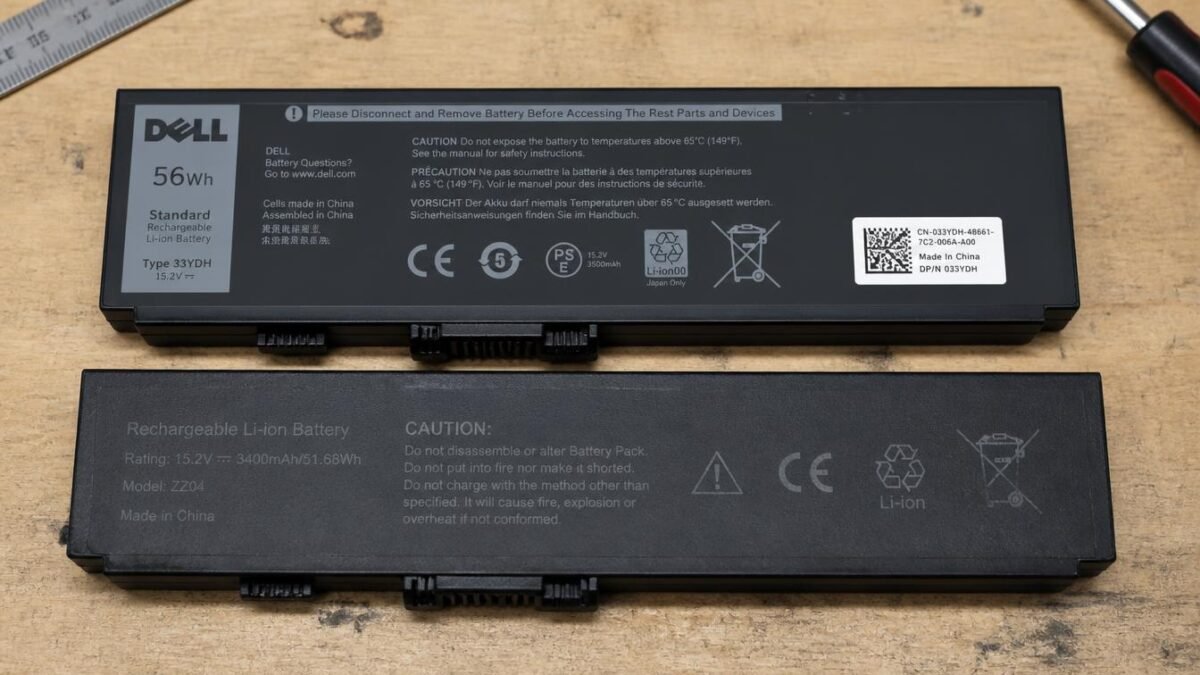
Weight. This is the most reliable quick test. Genuine batteries are dense because the cells inside fill the shell. Copies feel noticeably light. If you can compare against your old battery, the difference is immediately obvious.
Label printing. Look closely at the text. Copies show blurred edges, incorrect fonts, uneven spacing, and misaligned labels. Original labels are crisp and precisely positioned.
Part number verification. Type the printed part number into the manufacturer’s support site. A genuine number returns a matching product. A fabricated one returns nothing or a completely different model.
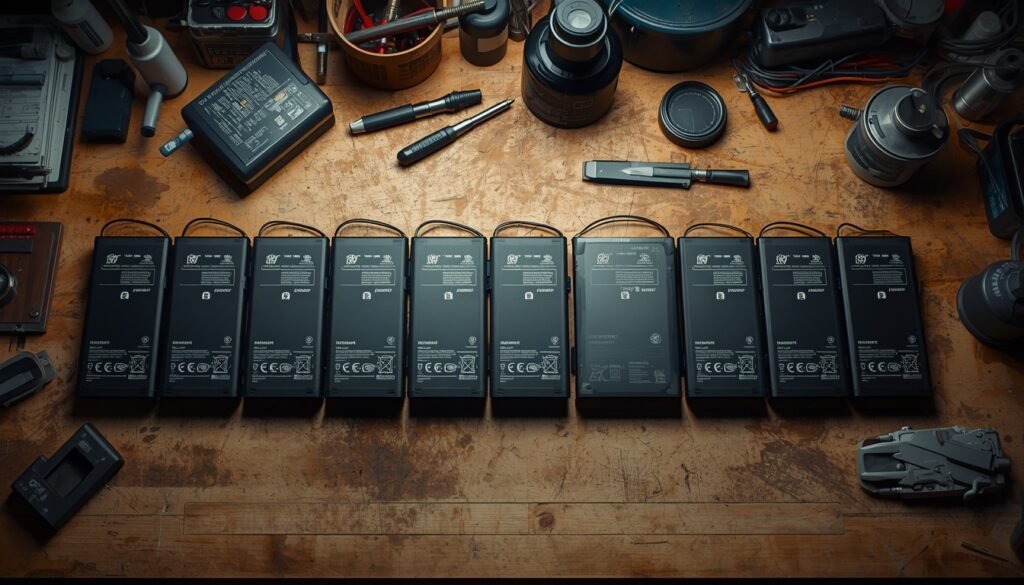
Serial number and hologram. Original batteries carry unique serials. Copies frequently repeat the same number across units, so if the shop has several in stock, compare them.
Build quality. Check the seams where the shell halves join. Copies show visible gaps, rough edges, and sometimes glue residue.
Capacity claims that give it away
A copy advertising higher capacity than the original specification is lying. Battery chemistry has not changed. Nobody fits substantially more energy into the same physical shell while charging less money for it.
Treat inflated capacity claims as proof of a copy, not as a feature.
What actually differs in use
Real capacity. A copy typically delivers 50 to 65 percent of its printed rating from day one. A battery labelled 4000 mAh may behave like 2200 mAh.
Degradation rate. Copies lose capacity fast. Many drop below usable levels within six to twelve months. A decent OEM-equivalent holds up for two to three years.
Percentage accuracy. Copies commonly report wrong percentages because the controller is poorly calibrated. The laptop shuts down suddenly at what Windows reports as 30 percent.
Thermal behaviour. Copies run hotter under charge. This affects the laptop’s internal temperature and shortens the life of nearby components.
Safety. This is the real concern. Proper protection circuits prevent overcharge, over-discharge, and thermal runaway. Cheap cells with inadequate circuitry can swell, and swollen batteries damage trackpads, keyboards, screens, and motherboards.
Verifying after purchase
Fit the battery, boot the laptop, and run this in Command Prompt as administrator:
powercfg /batteryreportCheck the reported Design Capacity. It should match the specification of the battery you bought. If a battery sold as 52 Wh reports 30 Wh, you have a copy and should return it immediately.
Do this in the shop before paying if possible. Any honest seller will allow it.
Buying sensibly
Ask for a written warranty and keep the receipt. Sellers unwilling to offer any warranty are signalling what they know about the product.
Buy from established shops with a physical location rather than anonymous online sellers. Hafeez Centre and Hall Road vendors depend on repeat business and reputation.
Consider authorised service centres if your laptop is relatively new and you plan to keep it. The higher price buys genuine stock and real warranty coverage.
Frequently asked questions
Is a copy battery ever acceptable? On an old laptop you plan to replace within a year, a copy may make economic sense. On any machine you intend to keep, the false economy becomes obvious within months.
Can a copy battery damage my laptop? Yes. Unstable voltage delivery stresses the charging circuit, and swelling causes physical damage to surrounding components. The risk is real, not theoretical.
How do I know if my current battery is original? Run the battery report and compare the reported design capacity against your laptop’s official specification on the manufacturer’s site. A large mismatch indicates a replacement copy was fitted at some point.
What if the shop insists it is original? Ask them to fit it and let you run the battery report before paying. The numbers settle the argument.
Weigh the battery, check the part number, and run the report before paying. Three checks, five minutes, and you avoid the most common mistake in this market.


Ask a question or share your experience